
10 examples of tour and excursion websites: search, itinerary and inquiry

A travel website should help visitors choose a trip, understand its terms and send an inquiry that includes their selected offer. Good photography supports this journey, but visitors also need dates, duration, an itinerary and a clear next step.
We have collected ten examples for travel agency owners, excursion organizers and marketers before development or redesign. The first seven are external references, the last three are projects from the NBM-IT portfolio. They show different models: package offers, group travel, city excursions and sea holidays.
Public pages were checked on November 13, 2026. This review covers the visible structure and documented features. We did not test purchases, staff performance or conversion rates. The order of the examples is not a ranking of tour operator reliability.
How to choose a reference for a travel website
Start with what you are selling. A package tour requires some search parameters, while excursions lasting several hours require others. If a company has eight routes, a large aggregator's complex filter system can make it difficult to choose.
| Example | Model | What to study for your website |
|---|---|---|
| Intrepid Travel | Group travel | Dates, duration and travel style shown in the offer |
| G Adventures | Traveling to different destinations | Geography navigation |
| FUN&SUN | Several travel products | Separate sections for tours, hotels and flights |
| YouTravel.Me | Different travel formats | Selection by interest and assistance in choosing |
| Tripster | Excursions and multi-day trips | Search by city and format separation |
| Sputnik8 | City excursions | Assistance with booking, payment and returns |
| RussiaDiscovery | Traveling around Russia | Relationship between region, season and activity |
| Crimea One Love, NBM-IT | Tours and excursions around Crimea | Route catalog and inquiries |
| Panoramic Roof, NBM-IT | Rooftop walks in St. Petersburg | Selecting a program and connecting with CRM |
| South Front Yachts, NBM-IT | Yacht rental for vacation | Vessel parameters and booking request |
For a more general choice of structure it will be useful corporate website collection. Here we will focus on the features of the tourism product.
Examples of tour and excursion websites
Seven external references: compare search, navigation and trip selection methods. The order of the cards does not indicate the rating of tour operators.
1. Intrepid Travel
Select dates, duration and format in trip cards.
2. G Adventures
Browse the catalog by world region and country.
3. FUN&SUN
Separate sections for package tours, hotels, flights and excursion programs.
4. YouTravel.Me
Travel formats and assistance in choosing a suitable trip.
5. Tripster
Search by location, excursions, multi-day tours and audio guides.
6. Sputnik8
City tours and assistance with payments, cancellations and returns.
7. RussiaDiscovery
Several ways to explore trips around Russia.
Tourism projects by NBM-IT
Three projects from our portfolio: excursions, walks and sea holidays.
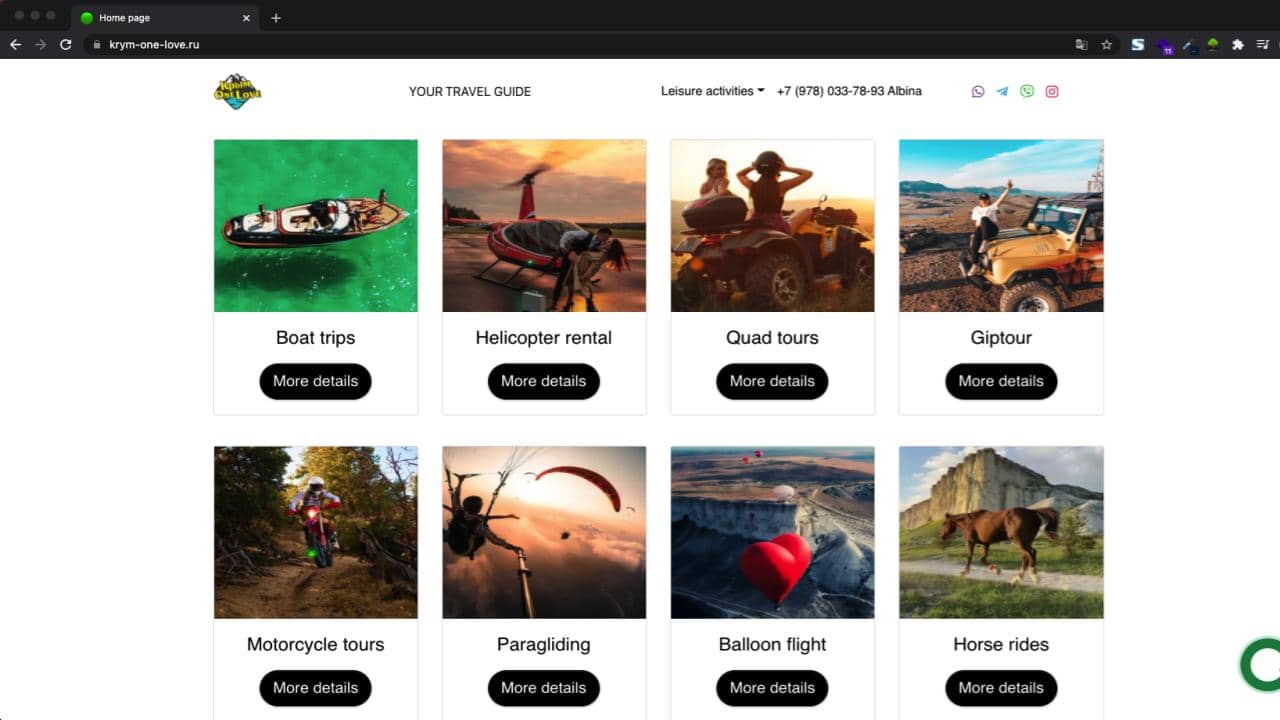
Crimea One Love
Catalog of routes, filters, map and contact forms.
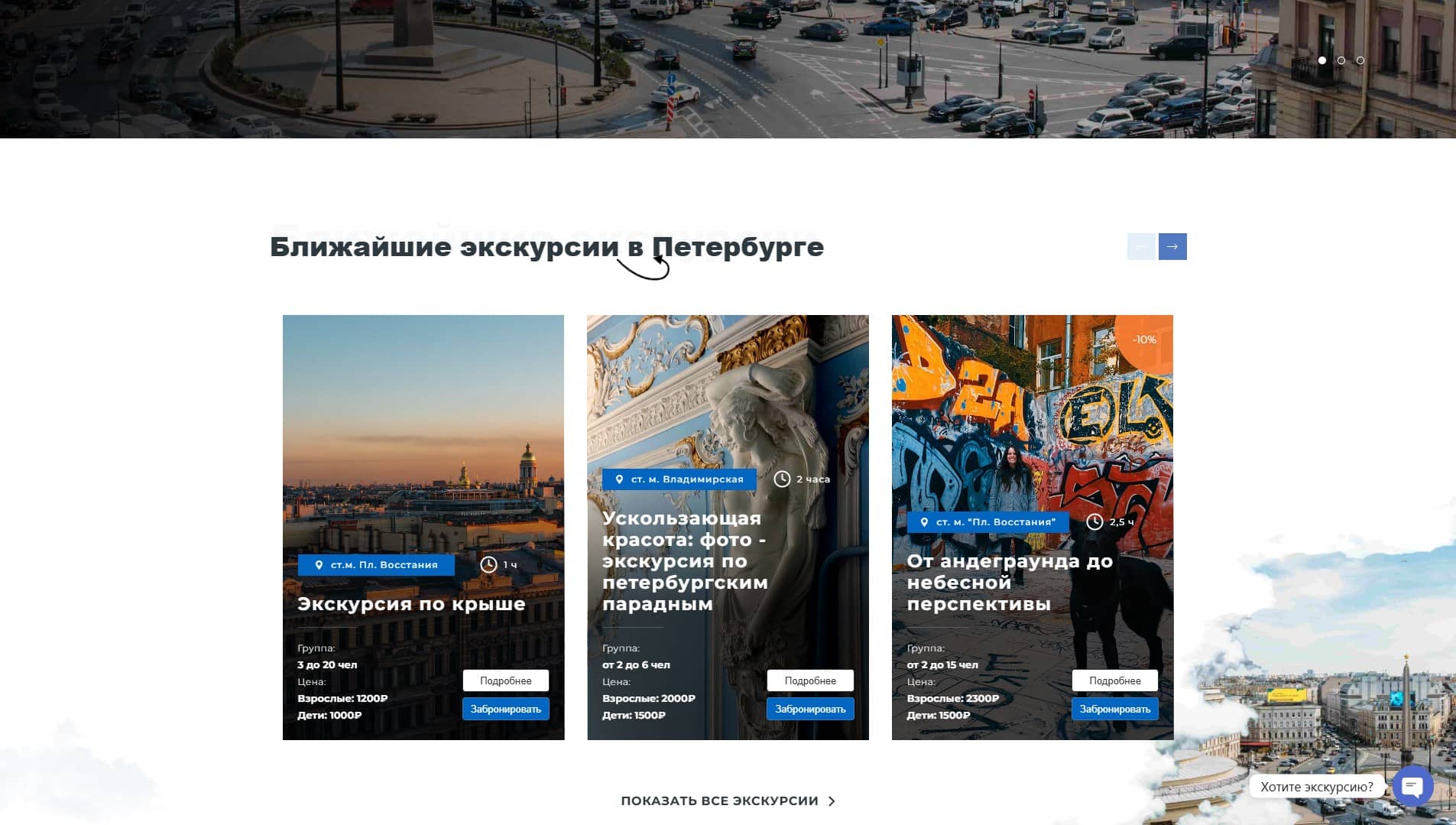
Panoramic Roof
Walking itineraries, guide profiles and Bitrix24 integration.
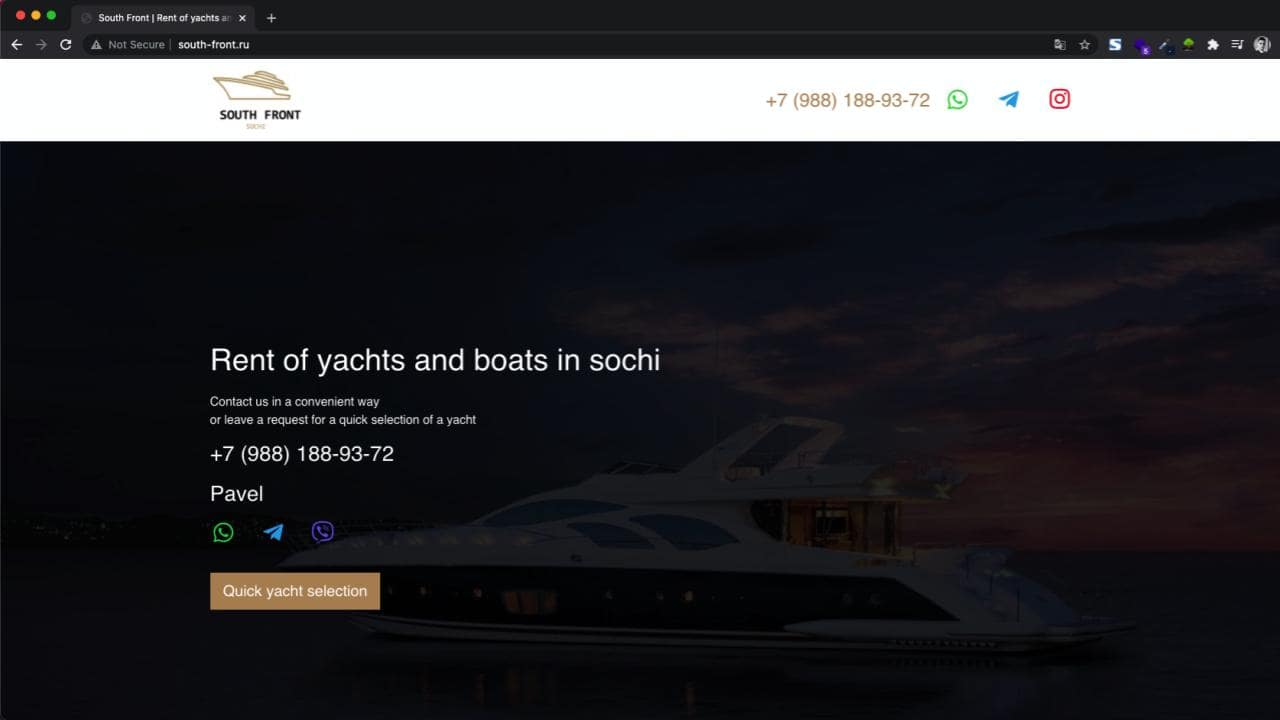
South Front Yachts
Catalog of vessels, rental parameters and booking request.
Seven external examples
1. Intrepid Travel — show key trip details before the full itinerary
On Intrepid Travel There is a choice of travel dates, and the offer cards show the duration, format and starting price. This allows you to compare trips based on several criteria already in the list.
For your project, determine the required set of card parameters: direction, duration, nearest available dates and the meaning of the indicated cost. The wording “from” requires an explanation of which option it refers to. If there are no places available, the visitor must find out before filling out the application.
During acceptance testing, check that opening the itinerary preserves the selected trip. Returning to the list should not force visitors to find the offer again. The reference may display a different regional version or currency; its commercial terms do not need to be copied into your project.
2. G Adventures - build navigation according to the geography of the product range
On G Adventures destinations are organized by world region and country. This helps visitors who know where they want to travel but have not chosen an itinerary yet.
For a small company, a structure for those regions where there really are offers is enough. The nesting of the menu should help you choose: country, region, trip. Empty categories for the sake of the impression of a large catalog complicate the path.
Test the journey against your actual range of trips. Visitors should be able to find a destination, compare available options and return to nearby alternatives. If a trip appears in several collections, its terms should remain consistent.
3. FUN&SUN - separate different products before starting the search
On FUN&SUN Tours, hotels, air tickets and excursion tours are presented separately. The search for a package offer includes options for departure, destination, date and duration.
This approach is appropriate when a company actually sells several products with different conditions. You should not force the visitor to first fill out a general form and then find out that the desired type of service is selected in another section.
In your brief, describe the fields for each scenario. For an individual excursion, the date and composition of the group may be sufficient; For a package tour, the departure city is important. Check that after switching a section, the form changes clearly and the name of the action matches the result.
4. YouTravel.Me — offer interest-based browsing and help choosing a trip
On YouTravel.Me Various formats are presented: weekend trips, family trips, hikes and other thematic options. There is a separate offer to help with the selection of a tour.
This is a useful guideline for a company whose audience often starts with a desire: to travel with children, spend an active weekend, or choose a relaxing vacation. The names of the selections should be based on the real differences between the programs.
The assisted-selection journey also needs structure. Instead of a generic callback request, collect the preferred trip type, approximate dates and group size. Do not label this a confirmed booking when availability and final terms still require confirmation.
5. Tripster — start with the destination and distinguish trip formats
On Tripster search is related to places and activities; excursions, tours and audio guides are presented as different formats. It helps to first select the context of the trip.
For a city-walk website, a useful journey is “city → experience → itinerary.” A multi-day trip needs more detail: a daily schedule, accommodation, transport and included services. These cards can share a visual style without containing the same amount of information.
Check that the type of proposal is clear before proceeding to the application. The visitor should not confuse an independent audio route, a group walk and individual accompaniment.
6. Sputnik8 - keep an explanation of the conditions next to the purchase
On Sputnik8 There is help with booking, payment, cancellation and return. These topics relate to the purchasing decision as directly as the excursion description.
On your website, distribute information between general rules and specific program terms. If the cancellation time depends on the offer, one general page is not enough. Indicate where the person will find the information and who they can contact if they have a question.
For acceptance testing, consider rescheduling, a change in group size and cancellation by the organizer. Check whether visitors can find an explanation before contacting you. A help section alone does not prove that the reference provider fulfills its terms well.
7. RussiaDiscovery - associate filters with program content
On RussiaDiscovery destinations, activities, seasons and thematic selections are presented, including family and individual travel. These are several ways to choose a trip from one assortment.
The complexity of this decision lies in the data. Each tour requires an agreed region, season, duration and type of activity. If this information is filled in differently, the filter begins to exclude suitable programs or show inappropriate ones.
Start with a small set of useful filters. Test combinations, empty results and resetting filters on a phone. When nothing matches, offer a clear next step: change the criteria or ask for help choosing a trip.
Three examples from the NBM-IT portfolio
8. Crimea One Love - catalog of tours and excursions around Crimea
In the case Crimea One Love The site for individual and group trips is described: a catalog with filters, routes on a map, a gallery and contact forms. This is a close reference point for a regional tourism company.
When preparing a similar website, connect the itinerary to the inquiry. The manager needs the selected program, date and group size. The gallery should show that trip, and the map should explain its route.
Check the same description of the offer in the catalog, on the page and in the received request. The very fact of the presence of these functions does not give grounds to promise a certain increase in sales.
9. Panoramic Roof - walking programs and processing requests
B Panoramic Roof a portal for walks on the rooftops of St. Petersburg is presented with programs, seasonal offers and guide profiles. The project description also includes online booking, payment and integration with Bitrix24.
For a similar project, define when a place is confirmed, what happens after payment and which steps still require a manager. Assign someone to keep seasonal offers current.
Integration testing should cover repeated clicks and temporary communication failures: the inquiry must be retained without uncontrolled duplicates. The preparation process is discussed in our guide to sending website leads to a CRM.
10. South Front Yachts - choose a vacation based on the parameters of the vessel
South Front Yachts refers to the rental of yachts for marine recreation. The case describes the vessel catalog, capacity and type parameters, date selection, calculator and booking request. This is a related tourism model, useful for companies with rental vehicles or recreational equipment.
On such a site, the visitor compares specific objects. He needs capacity, rental conditions, available options and the content of the calculation. If the calculator gives a preliminary amount, explain what else the manager needs to confirm.
Check that the selected vessel and calculation details are included in the inquiry. Do not make customers describe choices they have already made in the catalog.
What to include in the first version of your website
Define one main journey: choose an offer, check the terms, send an inquiry or complete the intended booking. Then prepare the required data and agree who will maintain it.
- Describe the types of products and the minimum information for each: itinerary, dates, duration, included services, restrictions and cost conditions.
- Select filters that help you compare existing assortments. For several programs, a simple list may be sufficient.
- Assign responsibility for scheduling, availability, and seasonal changes. Find out where the site gets this information from.
- Include the selected offer and entered parameters in the inquiry. Give visitors a clear confirmation of the next step.
- Test the journey on a phone, including empty results, validation errors and returning to the list. Agree on test inquiries with their recipients.
The result can be conveniently presented in terms of reference for a corporate website: pages, data, actions and acceptance criteria. At corporate website development such a document helps to connect the design with the assortment and processing of requests.
Sources
- Intrepid Travel.
- G Adventures.
- FUN&SUN.
- YouTravel.Me.
- Tripster.
- Sputnik8.
- RussiaDiscovery.
- The three NBM-IT project descriptions are linked in their respective sections above.