
10 examples of construction company and contractor websites

The construction company’s website should help the customer answer three questions: whether the contractor is taking on his task, whether he has performed similar work, and what initial data can be used. This requires clear services, meaningful project cards and a connection between the reviewed project and the request for proposal.
The selection includes ten examples: seven external sites and three projects from the NBM-IT portfolio. There are large building groups, a holiday home contractor and a specialist stone company. It is useful to compare them by individual decisions: service structure, evidence of competence, geography and next action. Order does not imply a ranking of construction quality, sales or traffic.
The public structure of external sites has been checked November 2, 2026. Our projects are reviewed based on published cases and images of completed work. Company analytics, actual delivery of requests and closed systems are not included in this analysis. Reference interfaces may change.
What to compare on construction company websites
The customer of a private home, the manager of a commercial facility and the buyer of a large enterprise choose a contractor in different ways. First, define your visitor and the site's minimum goal. Then apply the same criteria to each reference.
| Criterion | What to look for | What to prepare at home |
|---|---|---|
| Specialization | Types of projects and scope of work | A clear list of tasks that the company undertakes |
| Portfolio | Relationship between the project and the service and work performed | Photos, context, stage and confirmed role of the contractor |
| Geography | Territories of work and responsible contacts | Real departure regions and restrictions |
| Approach to work | Planning, technology, control and communication | Explaining the process without making unsupported promises |
| Support request | Clear query result and suitable contact | Set of initial data and application route |
A small company needs several directions and well-described projects. The multi-level menu of a large group is justified by the volume of its activities. General principles of navigation for business are discussed in selection of corporate websites; here the focus is on choosing a building contractor.
Construction company and contractor websites
Seven external references: services, projects, service areas and enquiries.
1. Turner Construction
Services, portfolio and self-login for subcontractors.
2. DPR Construction
Separate inputs: What We Build and How We Build: industries, competencies and projects.
3. McCarthy
Buildings, infrastructure and competencies as different routes to the completed work section.
4. Mortenson
The geography of offices and expert materials help to study the company before applying.
5. Skanska
Login by country and go to the group’s corporate website.
6. Pomerleau
Buildings, infrastructure, types of work and contacting an expert.
7. Balfour Beatty
Competencies and projects, independent materials for suppliers and subcontractors.
Our websites for construction and specialist contractors
Three NBM-IT projects: house construction, a corporate website and specialist stonework.

Sodburg
Landing page with construction technologies, house designs and contact form.

BuildOps
Construction company website: portfolio, blog and content management on WordPress.

Carnegie Stone
Custom design and custom WordPress theme for a stone company.
Seven external examples: design decisions worth exploring
1. Turner Construction - link services to the project life cycle
U Turner The company, services, projects, publications and career are presented separately. The services include planning, construction preparation, project management and work execution. Self-entrance is provided for subcontractors.
It is useful for the customer to understand at what stage the contractor can be involved. If the company helps prepare the project, clarify the scope of work and then build the facility, show this sequence. For each service, explain the input materials, boundaries of responsibility, and the outcome of the step. A set of several large areas is usually clearer than a list of all internal operations.
When preparing your website, check the connection “stage → service → similar project → request”. The customer and potential subcontractor must be matched with suitable employees. There is no need to copy the entire structure of an international company for a local contractor.
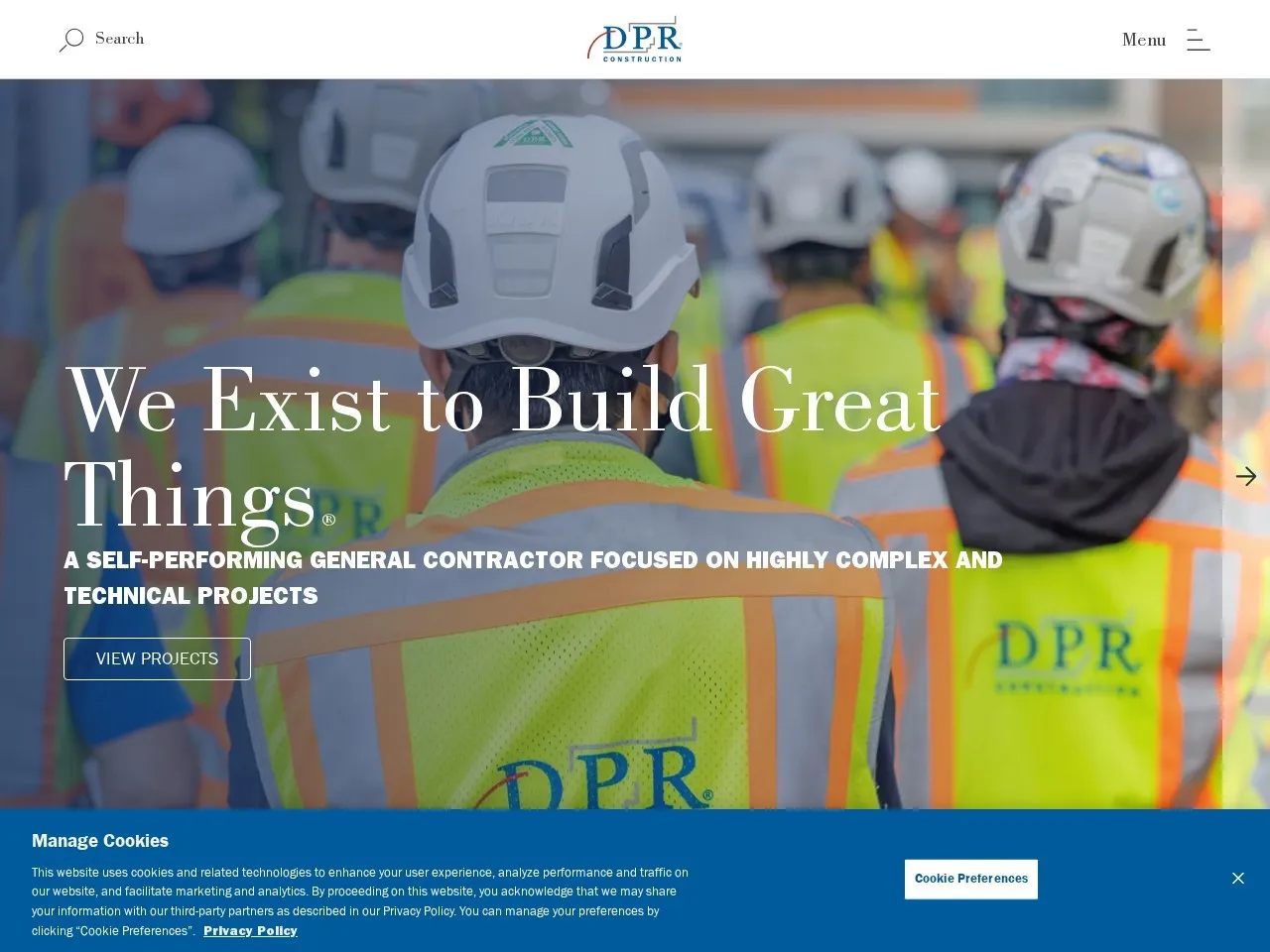
2. DPR Construction - separate “what we build” and “how we work”
DPR separates the What We Build and How We Build directions. The first presents types of projects, the second presents approaches and competencies, including construction preparation and virtual design. The navigation includes a search for projects and contacts.
This is a useful division for a contractor whose competencies span multiple industries. The client can start with a hospital, factory or office and then clarify how the work will be organized. Link these routes on your site: the project type page should lead to the appropriate jobs and process description.
For a small company, this principle can be implemented without a complex menu. The sections “projects” and “Services” with mutual links are enough. At the reception, check whether the visitor distinguishes between the subject of the contract and the method of its implementation, and also whether he understands what exactly is included in the proposal.
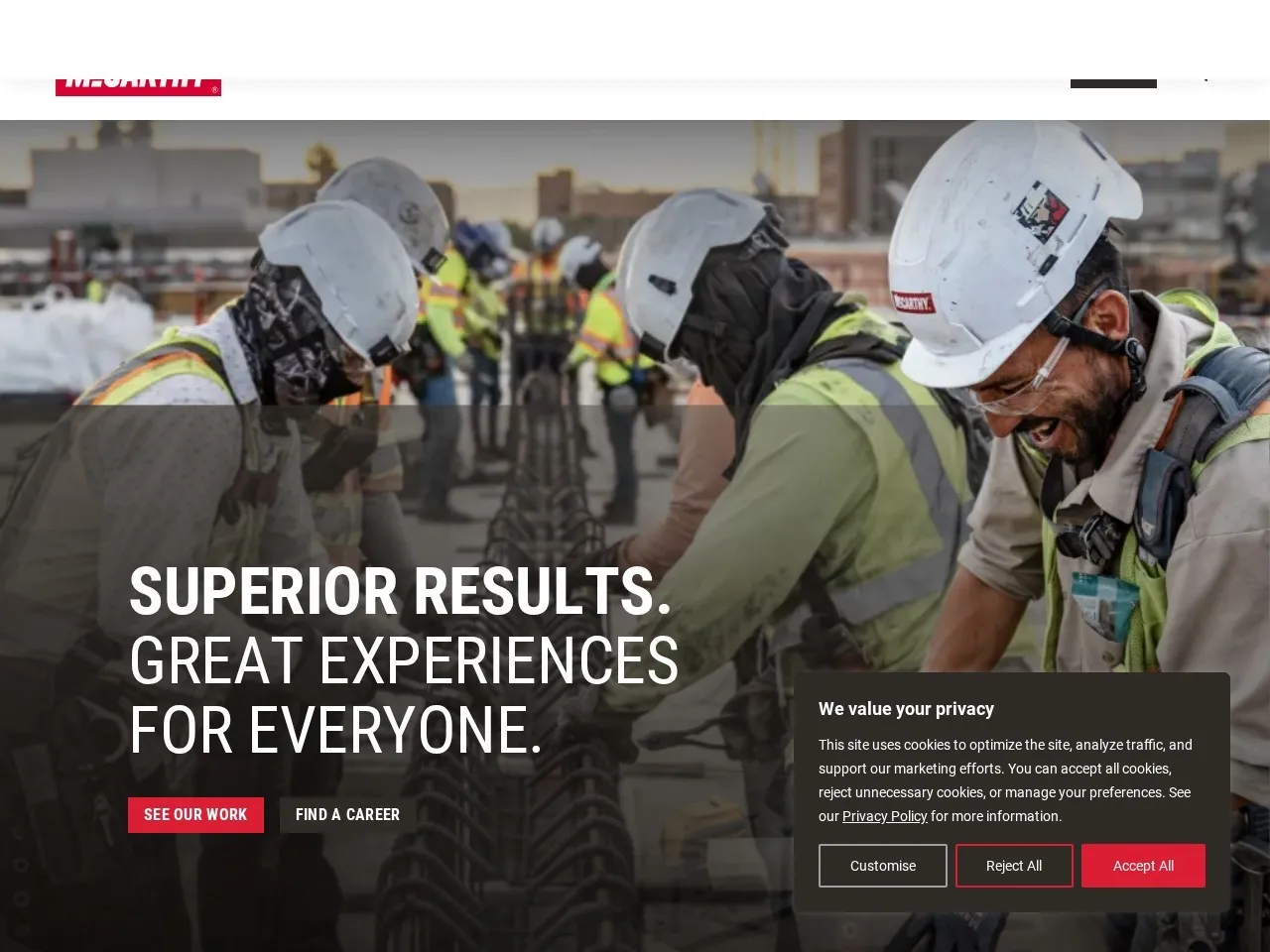
3. McCarthy - give the portfolio a clear classification
In the Our Work section McCarthy buildings, infrastructure and individual competencies are highlighted. The following areas are listed below: commercial facilities, education, medicine, transport and other infrastructure tasks. The general entrance to the projects is nearby.
For a construction portfolio, the classification that the customer recognizes is important. Internal contract numbers or department names will not help you find similar work. Start with the type of property and the scope of services performed. Add geography and technology when they are really chosen and there are enough materials.
Prepare a list of projects before developing a filter. If after choosing a category there is only one card left, a regular topic page may be suitable. Checking the result is simple: the visitor finds a relevant project, sees the role of the company and can apply, saving the name of the selected work.
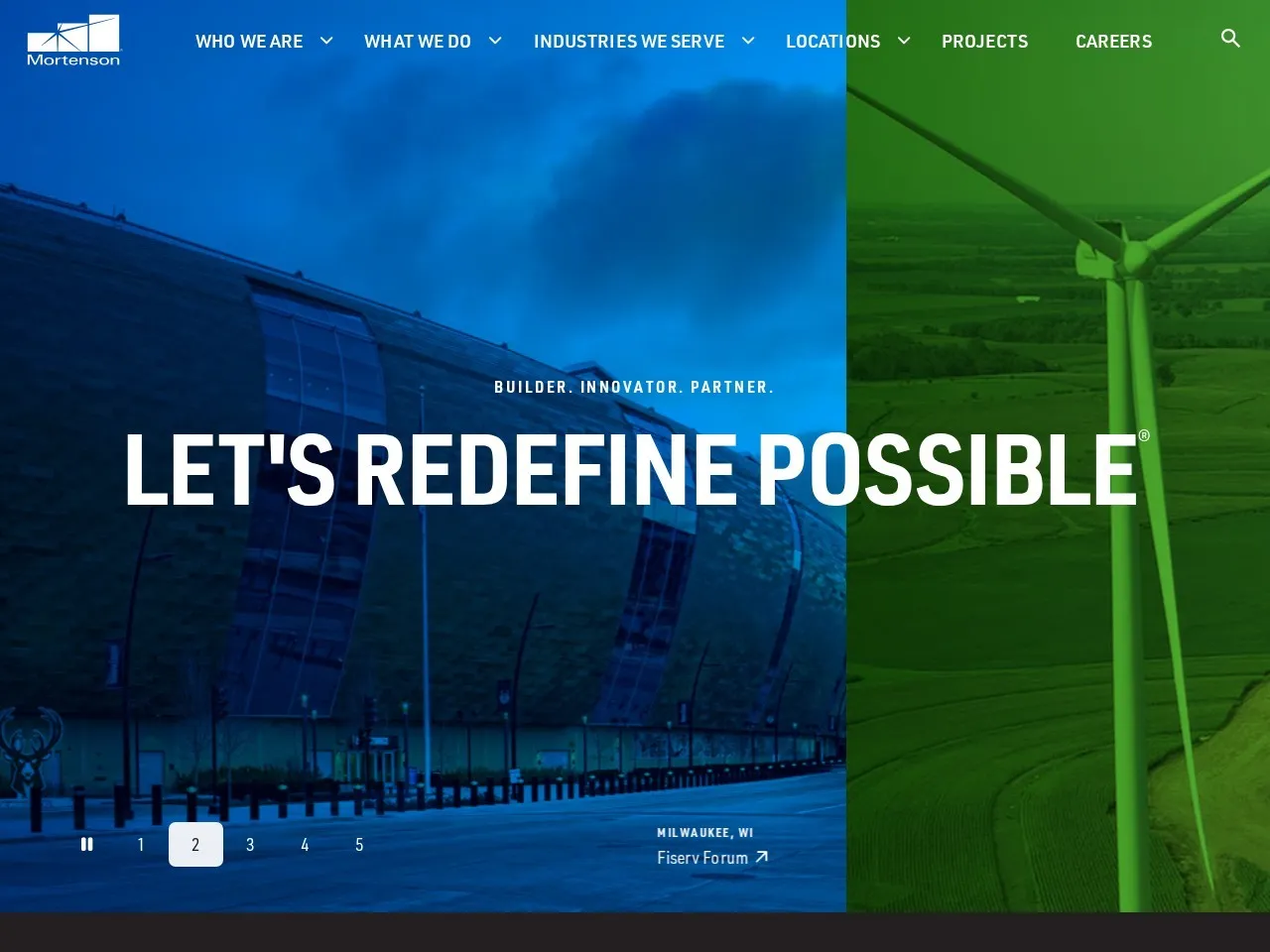
4. Mortenson - show regional competence
On Mortenson The geography of offices and expert publications are noticeable. The visitor is invited to study the company's presence and materials about construction tasks. These are different ways to assess whether a contractor is suitable for a project.
For a contractor with multiple work territories, it is useful to associate a region with specific services, facilities and contacts. The city page should answer local questions: what work is available, who visits the site, how to start a discussion. Many identical pages with the region name replaced do not provide such information.
Use expert materials for real customer questions: preparation of initial data, approval stages, choice of technology. Updated information requires a responsible editor. Other people's cost indices, terms and conditions are not suitable for calculating your project: your estimates must be linked to your own source data.
5. Skanska - select a territory before applying
On the entry page Skanska the visitor is asked to select a country or go to the group’s website. This is an example of the separation of enterprise level and local presence. The available services of a particular department should be checked on its own page.
For businesses with different conditions by region, this approach helps clarify the context before contacting. But the choice of territory makes sense when it actually changes the offer, contact or documents. If the company operates in one city and the nearest region, an additional selection screen will only lengthen the path.
In your project, formulate a rule of geography: which regions are served, where travel is possible, and how the exception is explained. When switching territories, save the selected type of work. The person must understand which command they are accessing and be able to change the selection without having to fill out the form again.
6. Pomerleau - connect industry and specialization
Pomerleau separates building construction, civil infrastructure and specializations. The navigation indicates projects, contacts, and contacting an expert. This allows you to study a company from the perspective of an project or a specific construction task.
This technique is suitable for a contractor performing separate work on different types of projects. For example, a visitor may be looking for competence rather than the full construction cycle. The site should explain what part of the task the company takes on and with whom it interacts at the next stage.
For your own project, create a matrix “type of project × type of work.” Publish only confirmed combinations. In each card, indicate the scope of participation: design, execution, delivery, installation or maintenance. This helps avoid a situation where a photograph of a large project is taken as evidence of a general contract, although the company only carried out a single section.
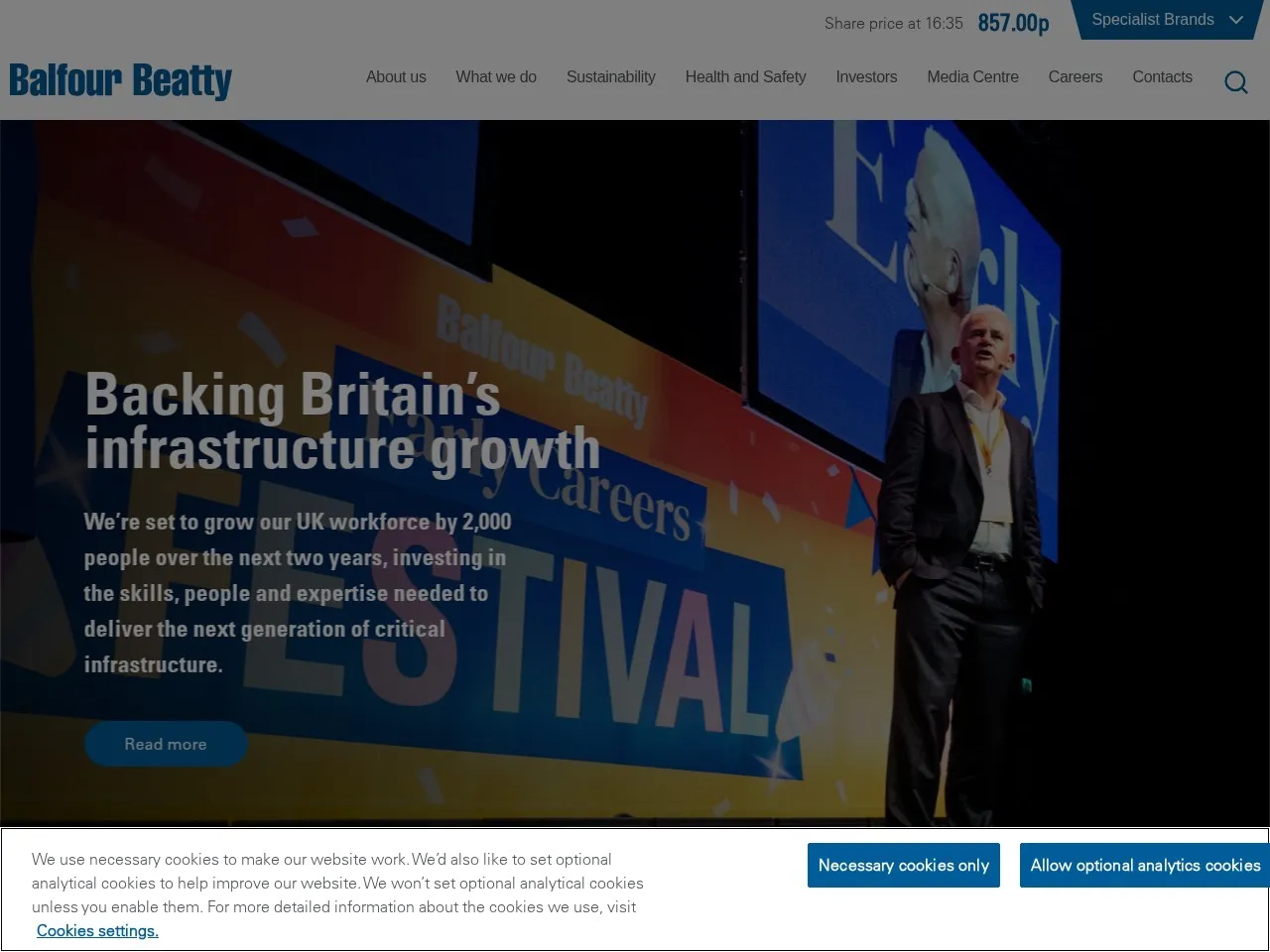
7. Balfour Beatty - provide for different business messages
Balfour Beatty shares competencies, industries and projects. Separately presented are materials for suppliers and subcontractors, corporate contacts, investors and careers. Different visitors have their own destinations.
For a company that simultaneously receives orders and assembles an affiliate network, it is useful to distinguish between these calls. The customer needs a description of the task and a contact for the project. The supplier is provided with requirements for cooperation and a clear channel for submitting information. For a small organization, two clearly named routes are sufficient.
Don't migrate enterprise partitions without a real process behind them. Each published document must have an owner and a current version. At reception, check where each type of request is received, who responds, and what data is stored. The general form is only suitable for reliable intra-company routing.
Three NBM-IT projects for contractors
The following examples are our published work. They are located in the lower block of the widget and lead to the NBM-IT portfolio. Based on them, we consider the composition of the site and the provision of services; We do not use sales figures and historical offers from cases here.
8. Sodburg - website of a house construction company
B Sodburg case a landing page for a contractor for stone and frame houses in St. Petersburg and the region is described. The project combines technology presentation, house designs, photographs of projects and consultation.
For such a business, the visitor needs to compare the future home with his site and the family’s task. It is useful to show the layout, area, technology, equipment and evaluation conditions on the card. If the outcome depends on the site, engineering and finishing, explain the composition of the preliminary calculation before sending contacts.
In the brief, separate the standard project and the completed project. The first discusses the composition of the decision; the second confirms real experience. Acceptance should include selecting a project on the phone, making the plan readable, and handing over the selected house to the manager. Price quotes shown in historical images should not be considered valid.
9. BuildOps - corporate website with portfolio and blog
B BuildOps case presented a website for a construction company from New York: corporate pages, portfolio, blog and content management on WordPress. We consider the example based on our project card, without making assumptions about other products with a similar name.
For a contractor, this format is convenient when completed projects are regularly replenished. The employee needs clear project fields and the ability to update the description without redoing the template. A blog makes sense if there are meaningful materials: answers to customer questions, preparation for work, explanation of the process.
Before design, agree on the template of the project: the initial task, territory, scope of work, photographs and the result of the completed stage. At the acceptance stage, the editor must independently add a new project, check it on the phone and associate it with the desired service. The ability to edit in the CMS is checked with a separate script.
10. Carnegie Stone - site of a specialized contractor
Carnegie Stone - a project from the NBM-IT portfolio for a company working with stone. The case describes a custom design, a custom WordPress theme, and website setup. This is a related construction example: we consider it as the site of a specialized company, and not a universal general contractor.
When choosing a specialist, the material, application and nature of the work are important. For your site, connect services with suitable projects and request preparation. It should be clear to the customer what dimensions, drawings or photographs will help begin a substantive discussion.
Internal collection names are not a substitute for explaining the client's mission. At reception, check the route from the application of the material to the specific service and application. The image should help evaluate the work, and the caption should explain the company's role. Characteristics, tolerances and obligations are published based on the confirmed documents of the contractor himself.
How to choose solutions to suit your scale
| Site task | Relevant Examples | What to include in the first version |
|---|---|---|
| Small home contractor | Sodburg | Technologies, projects, completed projects, request for consultation |
| Commercial construction | Turner, DPR, BuildOps | Services, industries, content portfolio and task contact |
| Infrastructure and specialized works | McCarthy, Pomerleau | Classification of projects and precise description of the composition of participation |
| Work in several territories | Mortenson, Skanska | Real geography of services and relevant contacts |
| Affiliate network and procurement | Balfour Beatty | Separate requests from customers and suppliers |
| Materials and specialized contracting | Carnegie Stone | Application, scope of work and evaluation data |
What to include on a project page and in a quote request
Start the project card with context: the type of building or structure, the region, the original task and the stage that the company performed. Then show the composition of the work and photographs with meaningful captions. Separate the completed project from the visualization of the future project. Each image requires a reason for publication; information about the customer and technical documents are disclosed to the agreed extent.
Describe the result in a verifiable manner: a completed section, a submitted set of documents, a finished structure or a completed stage. If you provide a deadline, cost or change in an indicator, explain the boundaries and conditions. A photograph of a famous building does not in itself confirm the company's involvement in all the work.
The request form must save the selected service and project. An initial set of fields: task type, territory, preparation stage, convenient method of communication and a brief description. Add downloads of drawings and large documents after agreeing on acceptable formats, access to files and the order of their processing. Some information can be clarified during the first conversation.
For a preliminary cost estimate, calculation rules and verification examples are needed. If the amount is determined by a specialist, the “Request Calculation” button more accurately describes the result. Once submitted, explain the next step; The confirmation on the screen must correspond to the actual receipt of the request.
For discussion corporate website development prepare a list of services, several agreed upon projects and a route for processing the application. This set allows you to evaluate pages and integrations based on specific scenarios.
FAQ
Does a construction company need a catalog of house designs?
It is useful if standard solutions are a real part of the proposal. For commercial renovations or specialized work, a portfolio of completed tasks may be more suitable. First, determine what your customer is comparing, then choose a format.
Is it possible to take the design of a large construction group for a small company?
You can study a separate technique: classification of projects, connection of a service with a project, or selection of territory. The number of sections should match your content and the work of your employees. A large menu without content pages will complicate the search.
Are there enough photographs of completed projects?
Add a description of your role, scope of work, and site context. This allows you to understand what experience the photograph confirms. Plans, models and renderings should be distinguished from depictions of the completed work.
Is a construction cost calculator required?
The calculator is useful if the input data and rules are consistent. For individual projects, a request for an estimate with a clear set of information may be sufficient. At acceptance, check the limitations and meaning of the result, and not just the appearance of the amount.
Sources
- Turner Construction.
- DPR Construction.
- McCarthy Building Companies.
- Mortenson.
- Skanska.
- Pomerleau.
- Balfour Beatty.
Links to NBM-IT’s own projects are provided in the corresponding reviews. External navigation reviewed November 2, 2026; individual previews may reflect an earlier appearance of the page. Recommendations for the application of solutions and acceptance apply to the design of your own site.